The blank box problem
You stare at the blank box. Then you type “edit this.”
Korvai is a private library for your context docs, prompts, and skills — and a Chrome extension that loads them into Claude, ChatGPT, or Gemini in one click. Every session starts loaded.
Free forever for individuals · No credit card
The real thing, in 14 seconds: pick your context, click Inject — ChatGPT starts loaded.
Already signed up? Install the Chrome extension →
01 — Context
You re-explain who you are every time you open a new chat.
Every new session starts the same way. “I'm a senior PM at a B2B SaaS company. We sell to mid-market RevOps teams. Our writing voice is direct, no marketing fluff.” Three paragraphs of preamble before you can ask the actual question.
Skip it and the AI guesses. You get a draft pitched at a generic startup audience, in a voice that isn't yours, solving a problem that's adjacent to yours. Half your session is spent dragging the AI back to your reality.
Every session is day one.
Context docs that load themselves into every session.
- —Write your role, company, projects, voice, and standards once in a structured editor.
- —The extension injects the right doc into Claude, ChatGPT, Gemini, Copilot, Grok — silently, on every new chat.
- —Multiple docs for multiple hats: Work, Side project, Personal writing. Switch with one click.
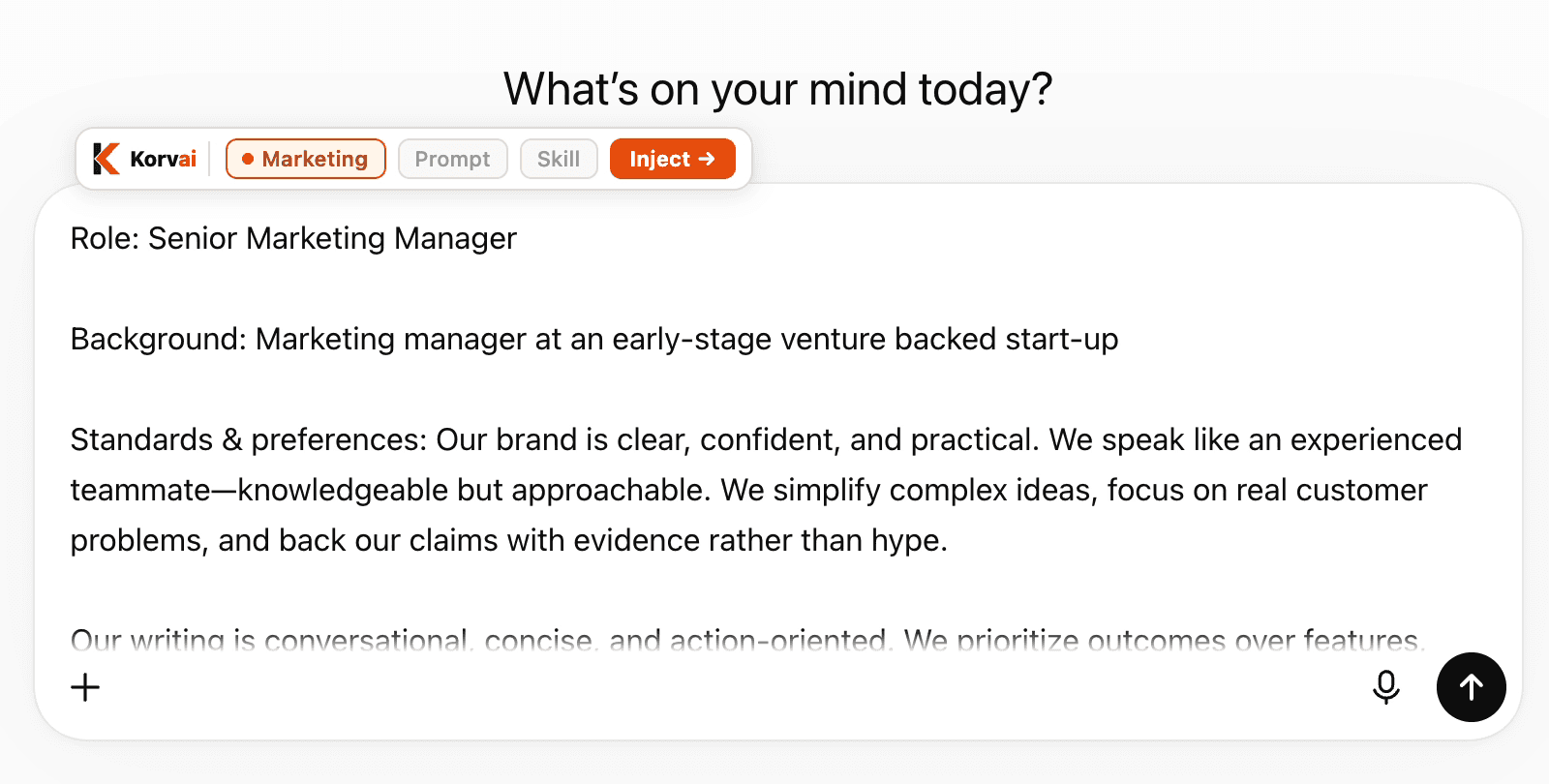
A context doc landing in ChatGPT.
02 — Prompts
You saved 47 prompts in Notion. You can't find any of them.
You're already running a prompt library. It just lives in four tools, has no tags, and only you can use it. Screenshots from X. Bookmarks from prompt-engineering threads. The brilliant one you wrote yourself last Tuesday, pasted into a Notion page called “AI stuff.”
Notion search returns 12 results. None are what you wanted. Google Docs is worse. Slack DMs to yourself are a graveyard. You re-write the prompt from scratch and it's not as good as the one you can't find.
Every great prompt you don't capture is a tax on every future session.
A library that compounds instead of leaking.
- —Save any prompt in two clicks from the extension — straight from Claude or ChatGPT, no copy-paste.
- —Tag, version, search. The prompt from last Tuesday is two keystrokes away forever.
- —$variable templates: write a prompt once with $audience, $tone, $length, fill the slots each run.
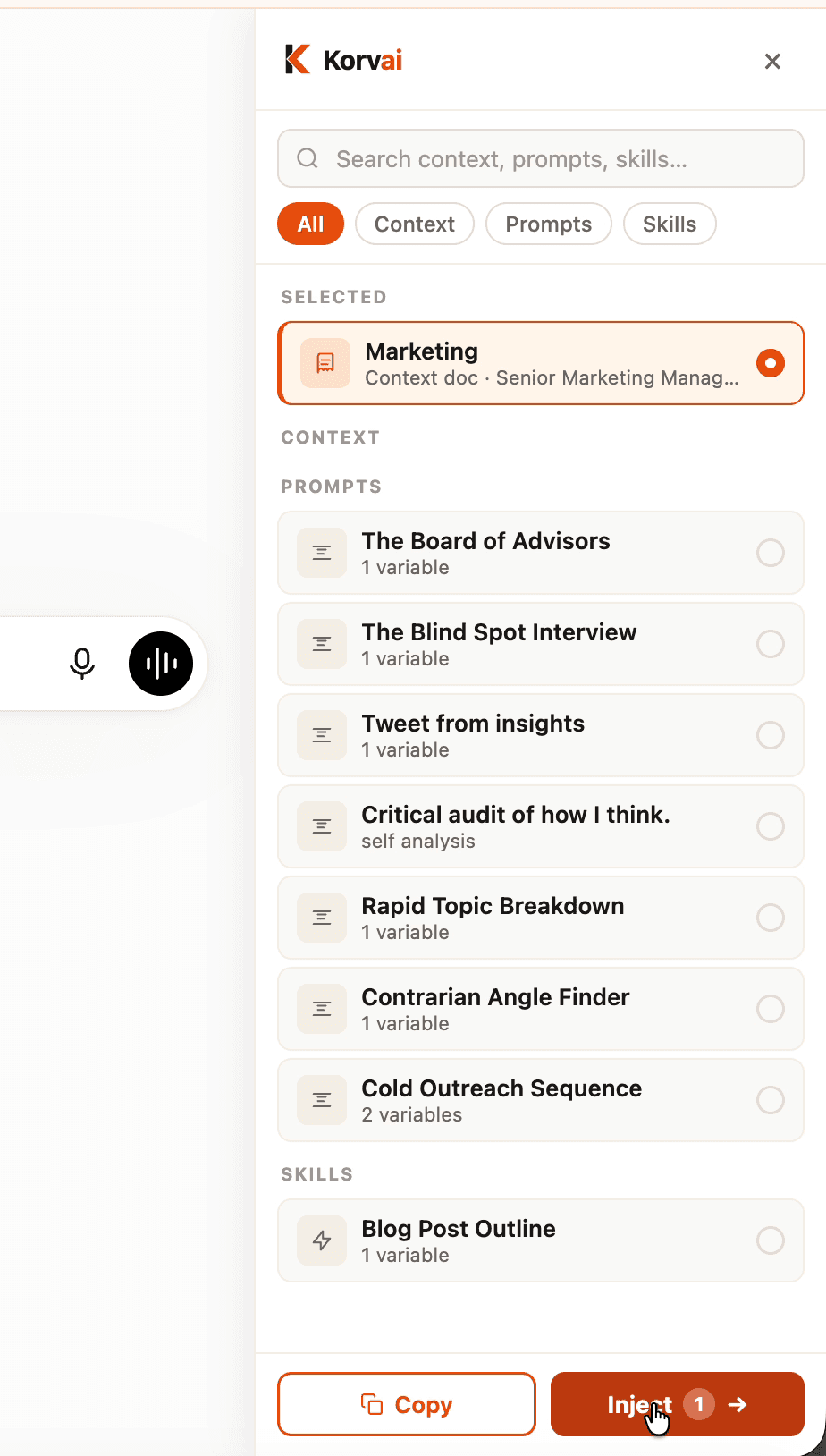
The Korvai sidebar, live on chatgpt.com.
03 — Skills
Your best workflow lives in your head. Sharing it is even worse.
Tacit-knowledge trap.Your 9-step contract review, your launch brief checklist, your bug triage process — it lives in your head and nowhere else. When you onboard someone, you can't hand them the workflow. When you come back to it after a month, you rebuild half of it from scratch.
The sharing wall. Even if you finish, sharing it is worse. The official path involves a SKILL.md file, a GitHub repo, frontmatter you have to look up, and asking every teammate to git clone and git pull. Most knowledge workers don't use git. The skill never leaves your laptop.
Workflows you can actually write, run, and share.
- —One sentence becomes a working skill. Describe your workflow in plain English; Korvai drafts the goal, steps, and output format. Edit and save.
- —Run it as a slash command. Every skill installs into Claude Code and Cowork as /<slug>. Auto-updates on every launch.
- —Share it without a GitHub repo. Hand your team one Korvai plugin URL. They install once. Your edits show up in their next session — no git pull, no clone, no frontmatter knowledge required.
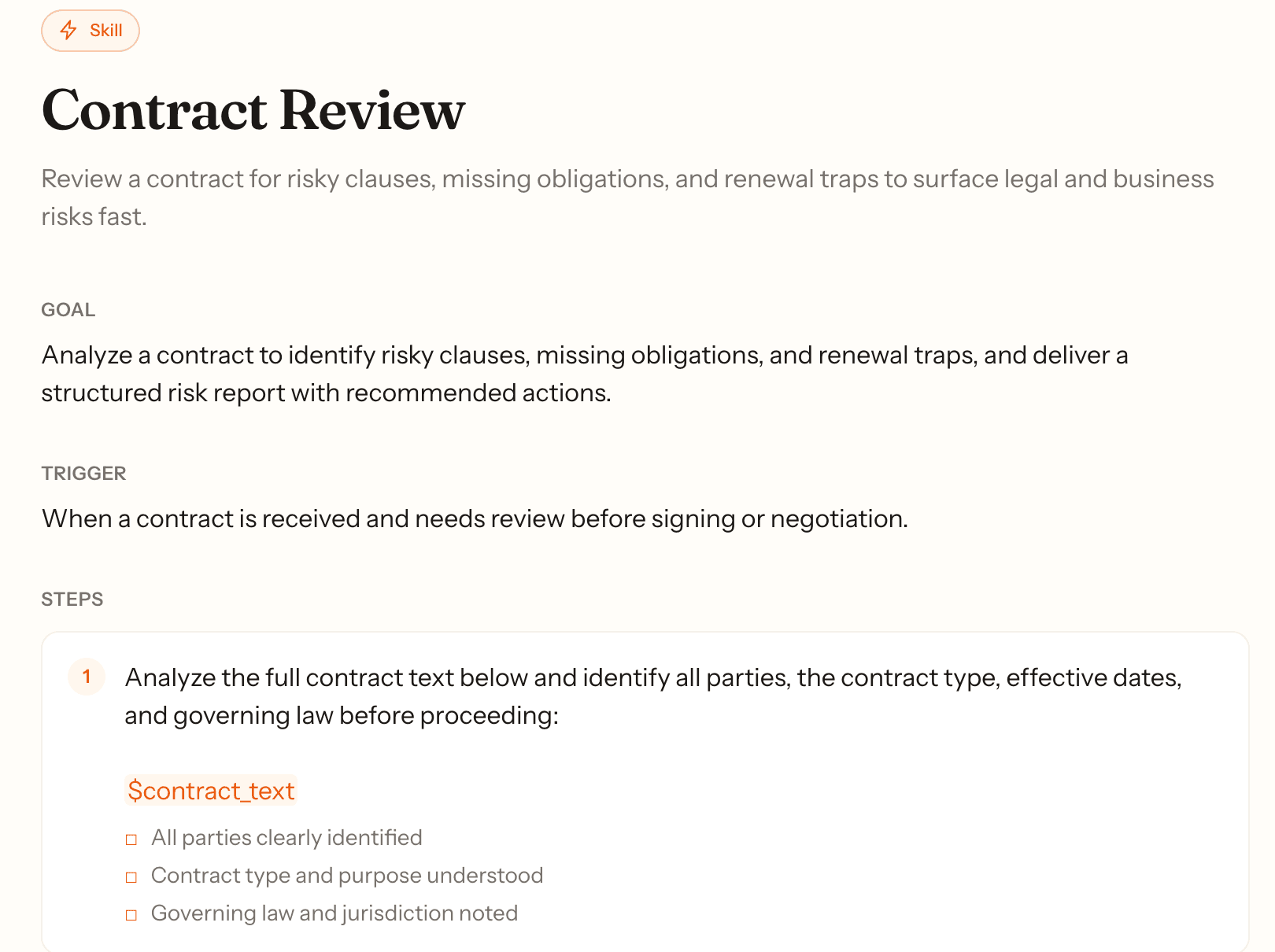
A skill from the public gallery.
The old way
- ·Create a GitHub repo
- ·Hand-write SKILL.md with correct frontmatter
- ·git commit and git push
- ·Ask teammates to git clone
- ·Every edit needs a git pull
With Korvai
- ✓Paste a URL
- ✓Install once
- ✓Auto-updates forever
- ✓No git, no frontmatter, no clone
- ✓Your whole team on the latest version
From the gallery
Steal these to start.
Ready-to-run skills from the public gallery. Copy one into your library and make it yours.
Contract Review
Review a contract for risky clauses, missing obligations, and renewal traps to surface legal and business risks quickly.
PRD Writer
Transform a rough feature idea into a structured, actionable Product Requirements Document ready for engineering and design.
Blog Post Outline
Generate a structured blog post outline from a topic and target audience in seconds.
The shadow is the signal
You're not behind. You're early.
The senior people you respect are already doing this — quietly, in private tabs, with prompts they keep to themselves. The official rollout, the approved tool, the standardized prompt library: those always arrive a year after the practice is real.
Korvai isn't a new discipline to learn. It's a home for the discipline you're already practicing.
52–68%
of knowledge workers use AI tools their employer hasn't approved.
2×
Decision-makers do it at twice the rate of everyone else (65% vs. 31%).
72%
In enterprises with 1,500+ employees, the shadow rate climbs to 72%.
Sources: PagerDuty / Wakefield · Okta / Apprize360 · Lenovo Work Reborn · 2026 workforce surveys.
How it works
Set it up once. Use it everywhere.
Twenty minutes to load your system. Every blank box after that is half-filled before you start.
01 — DEFINE
Capture your context
Describe your role, company, current projects, standards, and tone in the structured editor. Once it's written, you never explain yourself to an AI again.
02 — BUILD
Build your library and Skills
Save the prompts that get great results. Turn your best repeatable workflows into Skills — step-by-step SOPs that run in Claude Code as slash commands.
03 — RUN
One click, every tool
Open any AI tool, click the extension, select your context and prompt, hit inject. Or invoke a Skill in Claude Code. Your full system travels with you everywhere.
Get the Chrome extension →Pricing
Simple, honest pricing
Free to start. Pay when your team grows.
Personal
$0 / month
For solo AI power users. Unlimited context docs, prompt library, and Skills. Works across all your AI tools.
Get started freeTeam
Coming soon
Close the gap between your best people and the rest — standardise their workflow as shared Skills.
Shared context libraries, standardised prompts across your team, usage analytics, admin controls.
Set it up once. Twenty minutes. Free.
Your context, prompts, and skills — loaded into every AI chat you open tomorrow.
Build your system freeFree forever for individuals · No credit card